 MacToilet
A tiny Mac app with a big flush
Your Dock's Trash,
but it flushes.
MacToilet turns the Trash in your Dock into a glossy 3D toilet. Drag a file close and the lid lifts. Drop it in — whoosh.
macOS 14+ · Apple silicon & Intel
Drag the file onto the toilet ↓
It has a theme song. Obviously.
Since 1984 your Mac's Trash has been a bin. That deserved a music video. Sound on.
Set up in seconds
- Download and openAllow one permission. That's the whole setup.
- Meet your new TrashA live 3D toilet sits right on your Dock's Trash, at any size and on any side.
- Drag, drop, flushBring a file close and the lid lifts. Let go and watch it swirl away.
The little details make it
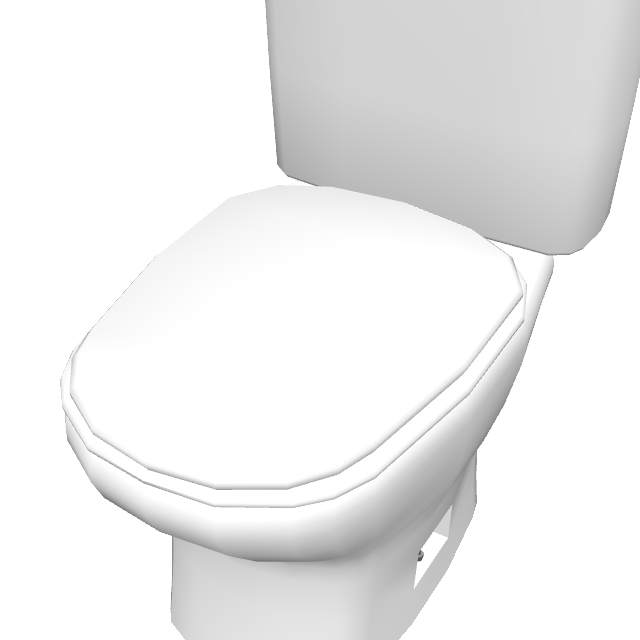
It sees you coming
The closer your file gets, the closer the camera zooms into the bowl.

A flush you can feel
Lever down, water swirls, file gone. Empty the Trash for the big one.
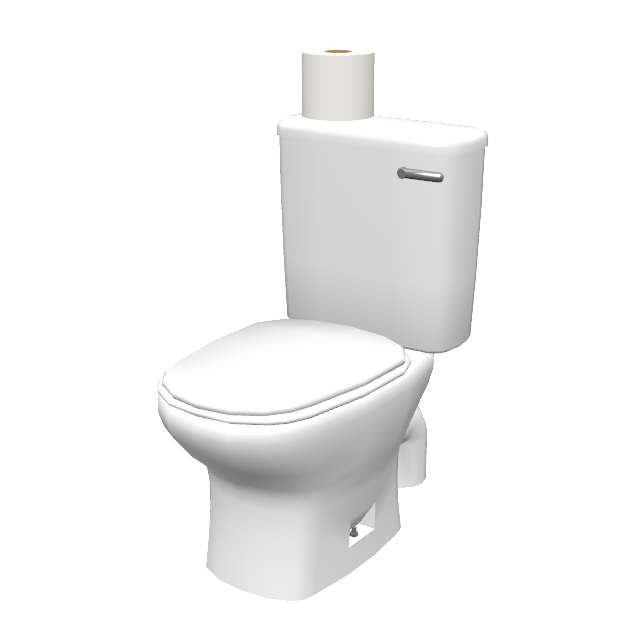
Knows when it's full
Files waiting in the Trash? A fresh roll appears on the tank.
- Your files are safe — Put Back and Empty Trash work exactly as before
- Stays glued to your Dock, even when you swipe between Spaces
- Match your setup: Sky, Mint, Peach, Lavender, Graphite, Glass or any colour
- Starts with your Mac and stays out of your way
Less than a coffee. Yours for life.
📣 Share it, get it free
Post about MacToilet anywhere: X, Threads, Instagram, TikTok, YouTube, Facebook, LinkedIn, Reddit, Bluesky, wherever. Paste the link to your post here and get a free code instantly.
Your code (one use, 30 days):
The code is already applied at checkout. Your license key arrives by email. Already in the app? Tap Buy and enter the code there.
One code per post. The post has to be public and about MacToilet. Details
FAQ
Will it delete my files?
Never. Everything goes to your normal Trash — Put Back and Empty Trash work exactly as before.
Why does it ask for Accessibility?
It's how MacToilet finds the Trash in your Dock and knows when a file is on its way. That's all it's used for.
Which Macs does it run on?
Any Mac with macOS 14 Sonoma or later — Apple silicon or Intel.
Will it work with my Dock settings?
Yes. Big or small, bottom, left or right, magnification and auto-hide — the toilet follows your Dock.
Is it a subscription?
No. Pay once, keep it for life.
Can I move it to a new Mac?
Yes — remove it from your old Mac in one click and activate it on the new one.
How do I uninstall it?
Drag it to the Trash. Yes, it flushes itself.
Ready for your first flush?
Try MacToilet free on your own Dock.
Try MacToilet freemacOS 14+ · Apple silicon & Intel · $4.99 once